Publisher Integration of the ID5 ID via Amazon Publisher Services
Enabling ID5 in Web Environments
Amazon's APS is the leading suite of cloud services that helps publishers build, monetize, and grow their digital media business. Read below for a step-by-step guide that takes you through the full integration process.
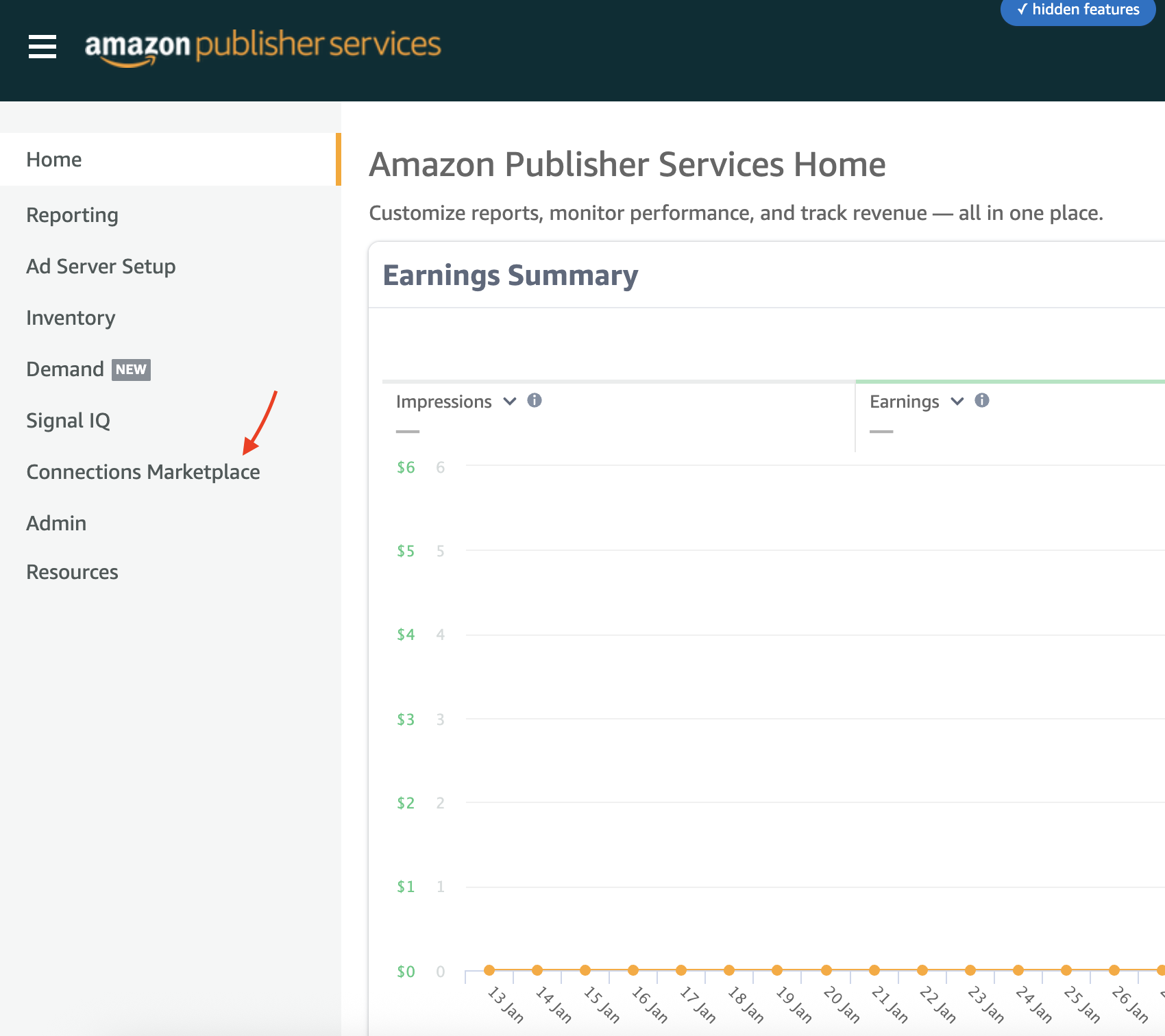
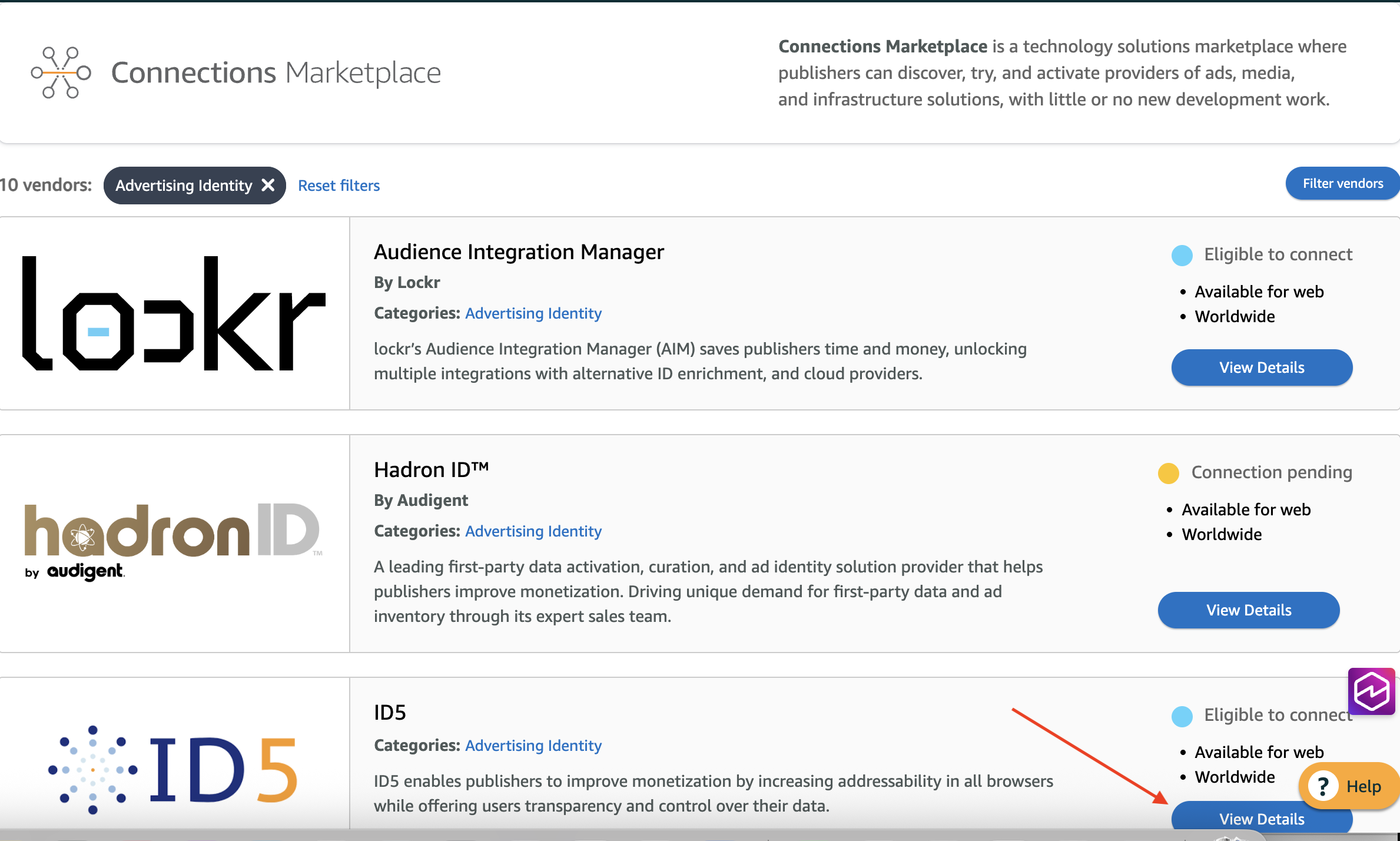
- Log into your APS Publisher UI - Navigate to the Connections Marketplace tab and Explore Services. Select “View Details” for ID5 and then select “Get Started” to follow the questionnaire submission process. This questionnaire is provided by Amazon and is filled in on their website.
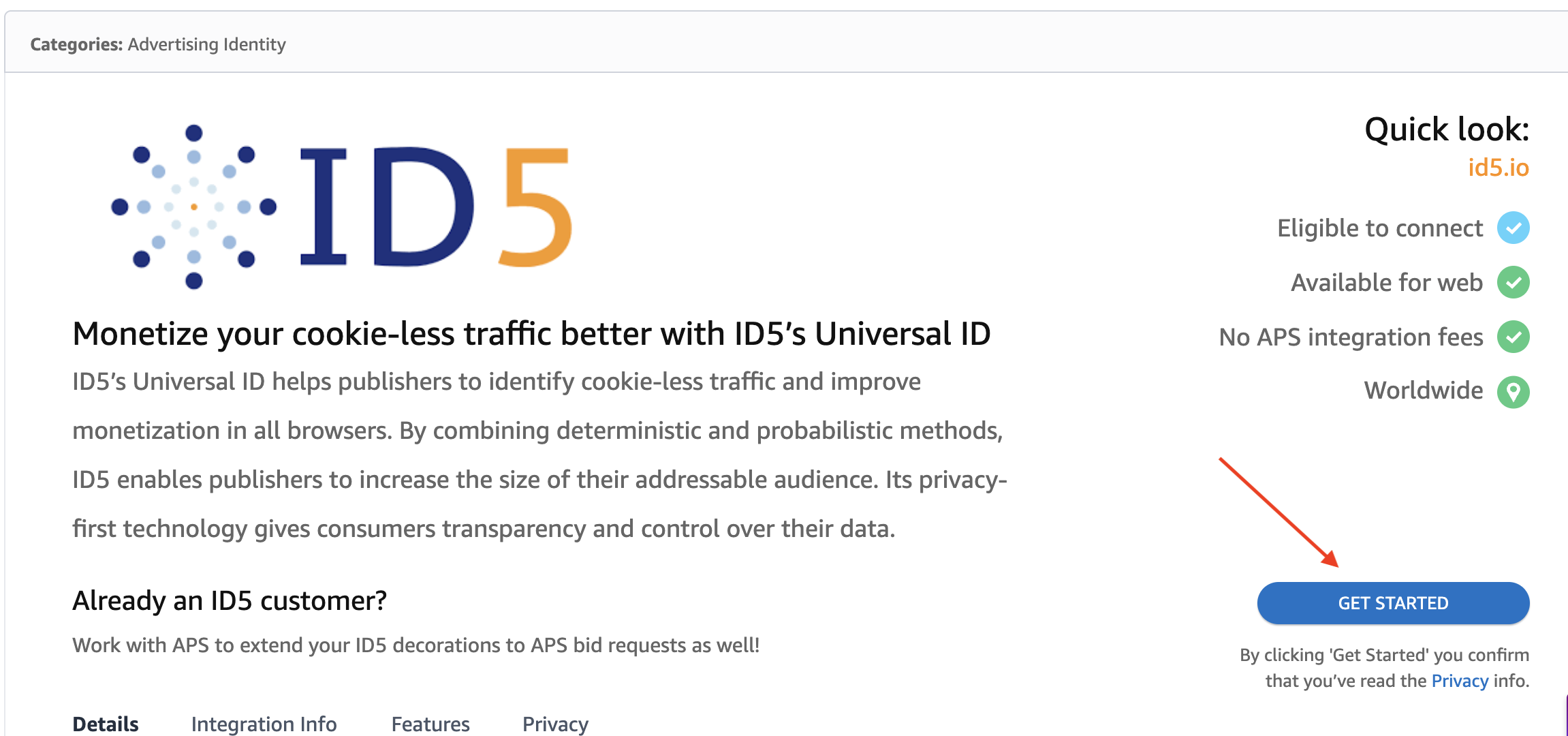
- Activate ID5 - Submit the questionnaire to APS to complete your registration with ID5. Part of the activation you submitted through the APS dashboard opted you into ID5’s terms and conditions. By accepting ID5’s terms, you agree to maintain clear, comprehensive, and accurate privacy notices as stated in our Privacy Policy Requirements.
- Add to CMP - Add ID5 as an approved vendor to your Consent Management Platform (CMP). Our vendor ID is
131. - Account setup - Following the creation of your ID5 account, you will now have the opportunity to customize your settings. These settings are updated within Amazon TAM.
- Your service begins - The integration is now complete and ready for action.
Enabling ID5 in CTV Environments
Amazon supports the standard OpenRTB framework for transmitting third-party identifiers, allowing publishers to append the ID5 ID in the user.eids field (or user.ext.eids in OpenRTB 2.5) before sending the bid request. Publishers can use the dedicated S2S endpoint for CTV to generate and retrieve the ID5 ID, and then pass that ID5 ID to APS within their initial OpenRTB ad request using the standard Extended ID (EID) object.
Please see the below for sample bid requests:
OpenRTB 2.6
"user": {
  "eids": [
    {
      "source": "id5-sync.com",
      "uids": [
        {
          "id": "ID5_TOKEN_VALUE",
          "ext": {
            "linkType": 2
          }
        }
      ]
    }
  ]
}
OpenRTB 2.5
| Name | Required | Type | Description | Example |
|---|---|---|---|---|
source | x | string | URL of identity provider | id5-sync.com |
| id | x | string | ID sent to publisher by identity provider | ID5*abc |